AI MODELS, OPTIMIZED

Big models.
Small footprint.

ByteShape's technology learns how to compress AI models, so the most capable models can run on the hardware you have.

ShapeLearn YOUR GPU BYTESHAPE ORIGINAL BF16 BYTESHAPE TOO BIG
The original model is too big for your GPU. ShapeLearn comes to the rescue and shrinks it. The ByteShape model hops in and drives off, fast.

A 35B model on an RTX 4090 desktop GPU (24 GB).

Original BF1616 bits / weight · only fits a 96 GB GPU

ByteShape4.19 bits / weight · fits this 24 GB GPU

3.8×smaller weights: 4.19 bits per weight instead of 16
285.53tokens / second on the RTX 4090

Qwen3.6-35B-A3B on RTX 4090 (desktop GPU, 24 GB) and on the RTX Pro 6000 (96 GB). Read the benchmark (opens in a new tab)

Measurement details

A 35B model on a single 24 GB graphics card, with multi-token prediction enabled.

On a GPU that fits both: 2.6× the original BF16, 343.11 vs 131 tokens per second on the same RTX Pro 6000 (96 GB).

Original BF16: 131 tokens per second on an RTX Pro 6000 (96 GB), the only tested GPU with enough memory for the BF16 model.

35B total parameters, 3B active · mixture of experts. Model file 18.61 GB. Build MTP-GPU-5. Download this build

Original BF16: 16 bits / weight. ByteShape: 4.19 bits / weight. 3.79× intelligence per bit vs BF16.

Published results for the selected build and device. Benchmark scores use that model’s own original-precision (BF16) baseline and release-specific evaluation suite.

Intelligence per bit is our summary of retained benchmark score per bit of weight precision, relative to the same model’s BF16 baseline (1×). We calculate it as (benchmark-score retention / 100) × (16 / average bits per weight).

The precision bars show weight precision relative to BF16. The speed bars show token generation on the RTX Pro 6000. The GPU examples use multi-token prediction (MTP). Speed measures token generation; model file size covers stored weights. Runtime memory and prompt-processing results are detailed in each release.

From a University of Toronto
computer architecture research group.

BACKED BYTwo Small Fish VenturesUTEST, University of Toronto Early Stage Technology

ACROSS MODEL FAMILIES

One approach.
Any kind of AI.

Our method applies to any AI model and any use case. We showcase it on language models, coding agents, vision models and image generation.

CODING AGENTS

Two coding agents.
One game.

Qwen3 Coder 30B A3B on an RTX Pro 6000 workstation. The original model on the left, the ByteShape build on the right.

Each agent builds a Flappy Bird-style game. The recording shows its own elapsed time and ends with both games on screen.

Silent recording with on-screen descriptions. Speed and quality figures are in the release posts, not in the video.

IMAGE GENERATION

Same prompt. Same seed.
5.26× smaller weights.

Qwen-Image diffusion weights: 40.86 GB to 7.77 GB, a 5.26× reduction in weight-file size.

Text-to-image generation

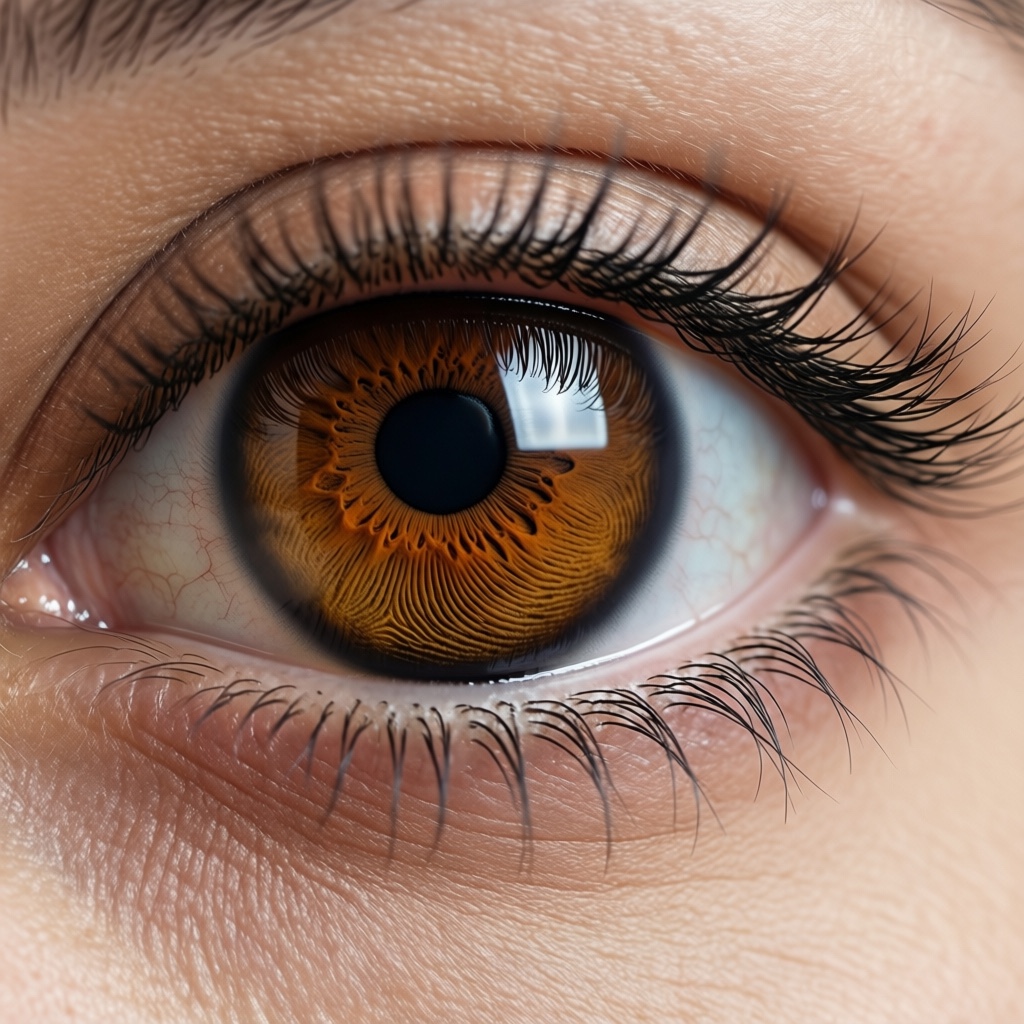
Original model output: a close-up amber eye with fine radial iris texture, a round pupil and a window reflection.
Original weights 40.86 GB
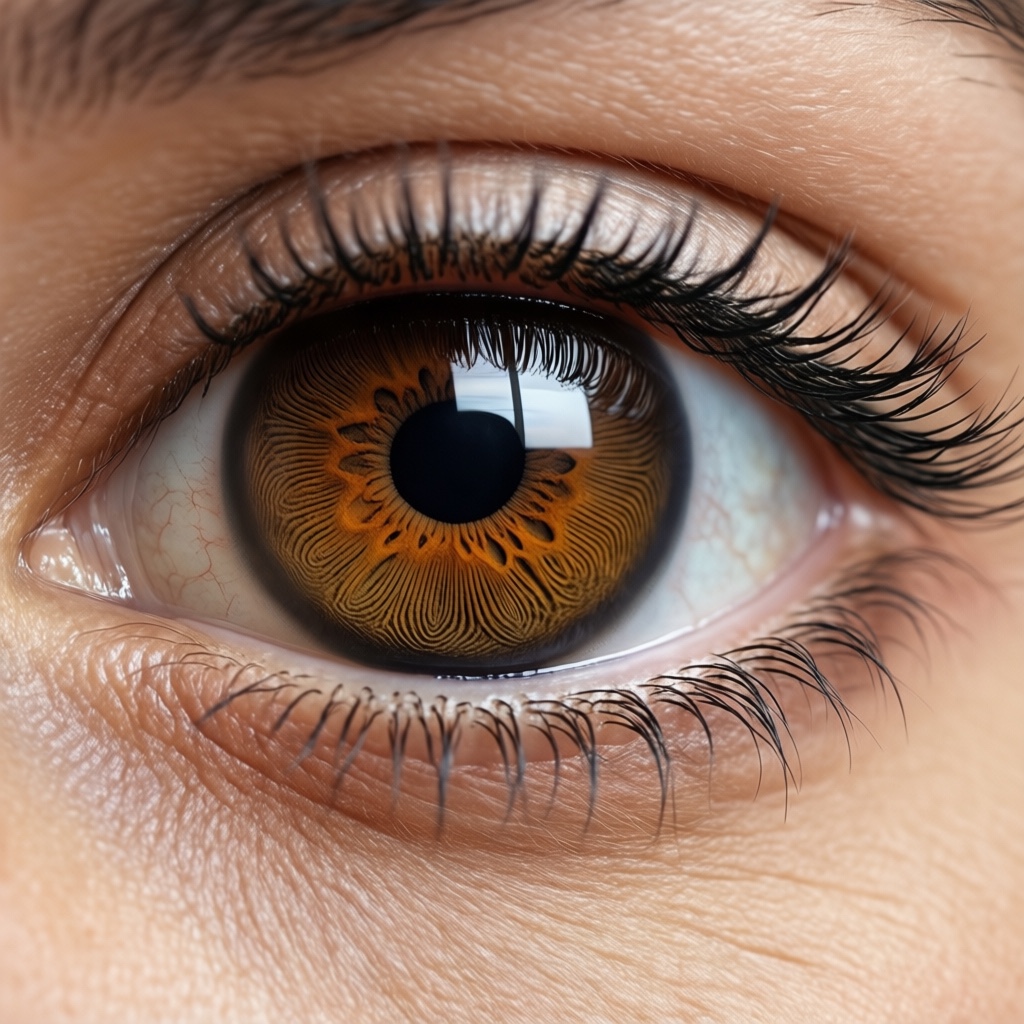
ByteShape model output: a close-up amber eye with coarser iris texture and a changed pupil edge beside the window reflection.
ByteShape weights 7.77 GB
Comparison details

Explore the iris texture, pupil outline, and reflected window in this close-up.

Qwen-Image-2512 in the GGUF pipeline: original BF16 and ByteShape’s Q3_K_S build at 3.04 bits per weight. Each published pair uses the same prompt and seed, at 1024 × 1024, 50 steps, and CFG 4.

The 40.86 GB and 7.77 GB figures cover diffusion weight files, excluding the text encoder, VAE, and runtime memory. Explore the gallery for more prompts; the release includes separate timing and memory tests with their own settings.


Read the full release and measurements (opens in a new tab)

HOW SHAPELEARN WORKS

Precision is a choice.
ShapeLearn learns where to use it.

Inside the technology

01 / DEFINE

Set the target.

Choose the hardware, memory budget, and task-quality target.

02 / LEARN

Allocate precision.

ShapeLearn learns numerical formats for each part of the model.

03 / EVALUATE

Measure the result.

Check quality and speed on the hardware where the model will run.

SHAPELEARN OPTIMIZATION

ShapeLearn optimization.
Your model. Your hardware.

Automate model optimization around your hardware and quality targets. Work with our team, or explore planned SDK integration.

Apply ShapeLearn to your model

LET’S MAKE IT RUN.

What could your hardware do?

Models, deployments, hardware partnerships, or the bigger picture.
Start a conversation with the team.

Talk to ByteShape